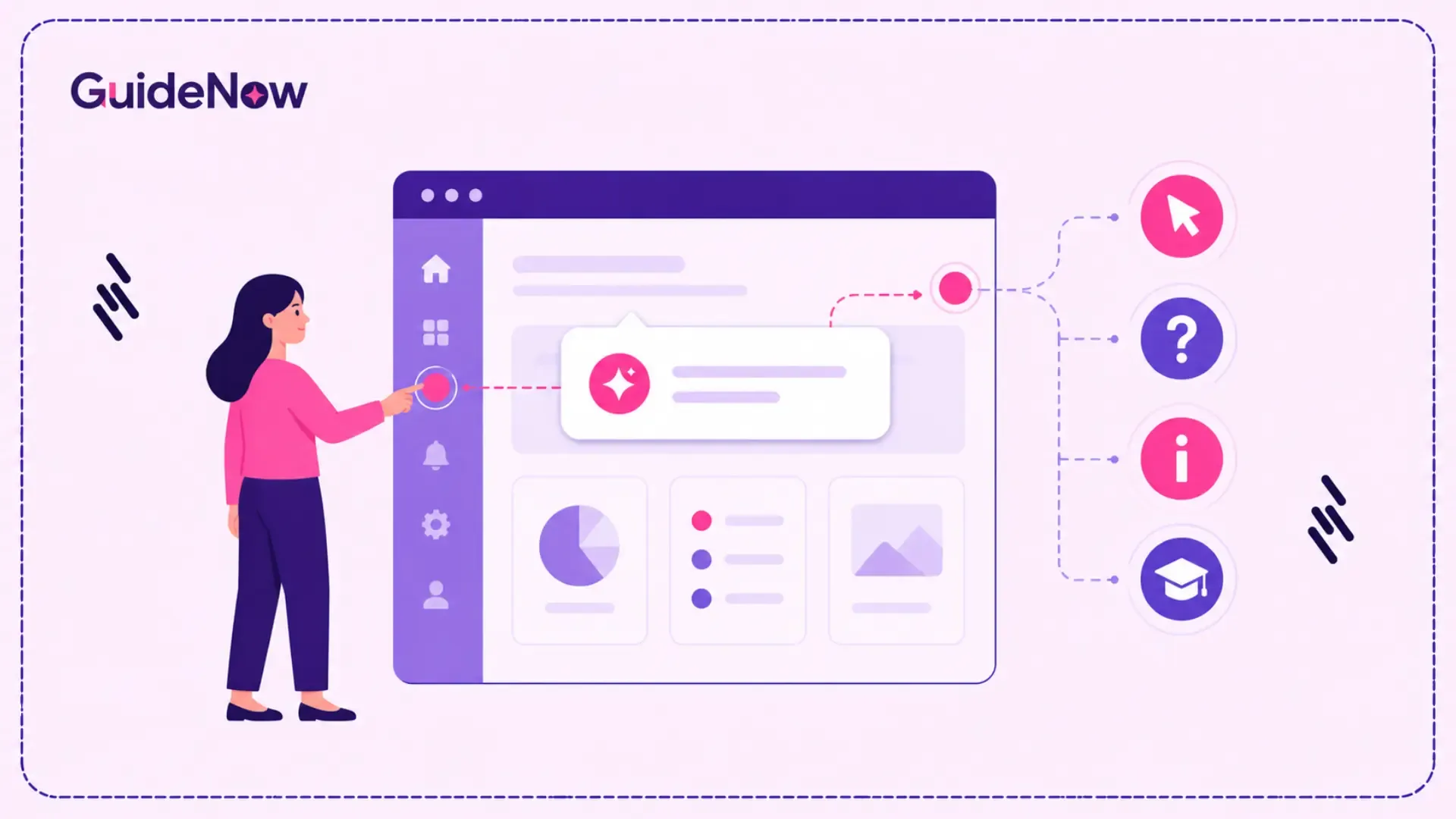
In-App Guidance helps enterprise organizations improve software adoption by providing contextual, real-time assistance directly within business applications. As companies invest in ERP, CRM, HRMS, finance, and other enterprise software to enhance productivity and operational efficiency, ensuring employees effectively use these tools becomes a major challenge.
Traditional training methods, such as classroom sessions, documentation, and video tutorials, often fail to support employees during real work, leading to slow adoption, lower productivity, and increased reliance on IT support. In-app guidance addresses this gap by delivering interactive prompts, walkthroughs, and contextual assistance exactly when users need it. The result is faster onboarding, higher software adoption, improved user experience, and better returns on enterprise technology investments.
Enterprise Software Adoption: The Current Reality
Digital transformation isn't failing because organizations choose the wrong software—it often fails because employees never fully adopt it.
According to McKinsey & Company, nearly 70% of digital transformation initiatives fail to achieve their intended business outcomes, with poor user adoption and change management among the leading causes.
This highlights an important reality: implementing enterprise software alone doesn't guarantee business success. Employees need continuous, contextual support long after deployment.
What Is In-App Guidance?
In-app guidance is a contextual learning approach that delivers assistance directly inside software applications while users perform their daily tasks.
Instead of relying on external documentation or scheduled training sessions, employees receive real-time instructions within the application interface, helping them complete workflows accurately without interrupting their work.
Depending on business requirements, guidance can appear as:
• Interactive tooltips
• Smart prompts
• Checklists
• Contextual notifications
• Embedded tutorials
• Validation messages
• Process reminders
Unlike traditional documentation, guidance adapts to the user's current task, reducing unnecessary information and making learning part of the workflow.
This approach enables employees to gain practical experience while working rather than trying to remember information learned during formal training.
Traditional Training vs. In-App Guidance
Organizations often rely on conventional training methods to introduce new software. While these methods provide foundational knowledge, they don't effectively support employees during day-to-day operations.
| Factor | Traditional Software Training | In-App Guidance |
| Learning Method | Before using software | While performing tasks |
| Knowledge Retention | Limited | Higher through contextual learning |
| Employee Productivity | Longer learning curve | Faster time-to-productivity |
| Support Dependency | High | Significantly reduced |
| Software Updates | Requires retraining | Easily updated alongside applications |
| User Experience | Passive | Interactive and contextual |
| Enterprise Scalability | Difficult to maintain | Easily scalable across departments |
For enterprise organizations, the difference isn't simply about training—it's about enabling employees to perform confidently within complex business systems.
Why Traditional Enterprise Training Falls Short
Most software training programs focus on introducing features instead of enabling successful task completion.
Several factors contribute to this gap.
Information Overload
Employees are often introduced to dozens of workflows during onboarding, many of which won't be used until weeks later. Without immediate application, much of this information is forgotten.
Lack of Context
Training sessions rarely replicate real-world scenarios.
When employees eventually encounter a complex approval process or customer workflow, they may struggle to remember the correct sequence of actions.
Continuous Software Changes
Enterprise applications evolve frequently.
New features, interface updates, and business process changes quickly make static documentation outdated.
Growing Support Requests
Without contextual assistance, employees rely on IT teams for routine questions, increasing operational costs and delaying issue resolution.
Organizations need a learning approach that evolves alongside their software.
How In-App Guidance Works
Modern enterprise guidance platforms analyze where users are within an application and deliver assistance based on context rather than generic documentation.
For example, a first-time employee accessing a procurement platform might receive:
• A welcome experience
• Navigation highlights
• Required field explanations
• Approval workflow guidance
• Compliance reminders
Experienced users, however, won't receive introductory content. Instead, they'll see assistance only when new functionality becomes available or when business processes change.
Many organizations implement this capability using a Digital adoption platform, enabling guidance across multiple enterprise applications without requiring extensive modifications to existing systems.
This contextual approach minimizes interruptions while encouraging independent learning.
Core Components of Effective Enterprise Guidance
Not every implementation produces meaningful business outcomes. High-performing enterprise guidance solutions share several essential characteristics.
Context-Aware Experiences
Effective guidance considers factors such as:
• User role
• Department
• Location
• Previous interactions
• Current workflow
• Experience level
Delivering only relevant information reduces cognitive overload and improves engagement.
Guided Learning Through Action
Employees learn more effectively by completing tasks than by reading documentation.
An Interactive walkthrough enables users to complete real business processes step by step, improving both confidence and knowledge retention.
Progressive Learning
Instead of overwhelming employees with every feature immediately, organizations should introduce guidance gradually.
This allows users to master critical workflows before exploring advanced functionality.
Personalized Experiences
Finance, HR, Operations, Sales, Procurement, and Customer Success teams each use enterprise applications differently.
Guidance should adapt accordingly, ensuring employees receive only the information relevant to their responsibilities.
Why Employees Struggle to Adopt Enterprise Software
Technology isn't the primary obstacle to successful implementation—people are.
Organizations frequently underestimate the human side of digital transformation.
Employees often struggle because:
• Interfaces appear complex during initial use.
• Business processes differ from previous systems.
• Training occurs too early.
• There is little ongoing support after implementation.
• Frequent software updates introduce unfamiliar workflows.
• Employees fear making mistakes in live production environments.
Providing contextual assistance addresses these challenges by reducing uncertainty and reinforcing learning throughout the employee journey.
Business Benefits of In-App Guidance
Organizations implementing contextual guidance typically experience measurable improvements across productivity, operational efficiency, and user satisfaction.
Faster Employee Productivity
Employees complete tasks independently much sooner, reducing the time required to become fully productive.
Lower IT Support Costs
Providing contextual in-app support enables employees to solve routine issues without contacting internal support teams.
Higher Software Utilization
Many enterprise platforms contain valuable capabilities that employees never discover.
Guidance introduces relevant features when users need them, increasing Feature adoption and maximizing technology investments.
Improved Compliance
Step-by-step assistance helps employees follow standardized processes, reducing operational errors and improving governance.
Better Employee Experience
Receiving contextual help at the point of need reduces frustration while increasing confidence in enterprise software.
Enterprise Use Cases of In-App Guidance
Every enterprise department interacts with business applications differently. While the software may be the same, each team follows unique workflows, compliance requirements, and operational goals. This is where contextual guidance becomes a business enabler rather than just a training tool.
Human Resources
HR teams manage employee lifecycle processes such as recruitment, onboarding, benefits enrollment, leave management, and performance reviews. These activities often involve multiple approvals and compliance requirements.
When integrated with employee onboarding software, contextual guidance helps new hires complete administrative tasks independently by providing instructions within HR applications. This reduces the workload on HR teams while creating a smoother onboarding experience.
Customer Relationship Management (CRM)
Sales teams rely on CRM platforms to manage leads, opportunities, forecasts, and customer interactions. Poor data quality often results from employees skipping fields or following inconsistent processes.
Contextual guidance helps sales representatives:
• Create opportunities correctly
• Maintain standardized customer records
• Complete mandatory fields
• Follow sales workflows consistently
The result is cleaner CRM data, more reliable reporting, and better pipeline visibility.
Enterprise Resource Planning (ERP)
ERP systems integrate finance, procurement, inventory, manufacturing, and supply chain operations. Because these systems contain hundreds of workflows, they are often difficult for employees to navigate.
Guided experiences simplify processes such as:
• Purchase order creation
• Inventory management
• Vendor onboarding
• Invoice approvals
• Procurement requests
Employees gain confidence while reducing transaction errors.
Finance & Procurement
Financial operations demand accuracy and compliance.
Guidance can reinforce:
• Company purchasing policies
• Approval hierarchies
• Expense reporting rules
• Required documentation
• Regulatory compliance
Instead of relying on memory, employees receive assistance exactly when completing financial transactions.
IT Service Management
Many IT helpdesk tickets involve simple navigation questions rather than technical issues.
Contextual guidance empowers employees to complete tasks such as:
• Password resets
• Software requests
• Incident reporting
• Access requests
• Service catalog navigation
This improves self-service adoption while allowing IT teams to focus on higher-value initiatives.
| Enterprise Challenge | Business Impact | How In-App Guidance Helps |
| Slow employee onboarding | Delayed productivity | Provides contextual learning during actual work |
| Complex enterprise applications | User frustration | Simplifies workflows with step-by-step assistance |
| High support ticket volumes | Increased IT costs | Enables employee self-service |
| Low feature utilization | Reduced software ROI | Introduces features when users need them |
| Frequent software updates | Continuous retraining | Delivers guidance for new workflows instantly |
| Process inconsistencies | Compliance risks | Reinforces standardized business processes |
Best Practices for Implementing Enterprise Guidance
Successful implementations focus on business outcomes rather than simply adding tooltips to software.
Prioritize High-Impact Workflows
Start with processes that directly affect productivity or generate frequent support requests.
Typical candidates include:
• Employee onboarding
• Purchase approvals
• Expense submissions
• Customer onboarding
• Leave management
• Service requests
Improving these workflows typically produces measurable ROI within a short period.
Keep Guidance Short
Employees don't want lengthy explanations while working.
Each instruction should answer one question or support one action.
Small, contextual prompts are far more effective than large blocks of text.
Personalize Experiences
Different departments require different guidance.
Role-based experiences ensure employees only receive relevant instructions, reducing distraction while improving engagement.
Continuously Optimize
Enterprise software changes constantly.
Organizations should review guidance after every major release, update workflows, and retire outdated instructions.
Treat guidance as a living asset rather than a one-time implementation project.
Enterprise Adoption by the Numbers
Organizations measuring software adoption consistently report significant operational improvements after implementing contextual learning experiences.
| Industry InsightIndustry Insight | Business Impact |
| Employees forget nearly 70% of newly learned information within one week without reinforcement. (Ebbinghaus Forgetting Curve) | Continuous learning becomes essential for long-term adoption. |
| Organizations implementing contextual digital adoption strategies have reported up to 60% fewer repetitive support requests for routine software questions. (Industry DAP benchmarks) | Lower support costs and improved employee self-sufficiency. |
These findings reinforce why contextual learning has become an important component of enterprise digital transformation.
Common Mistakes Organizations Should Avoid
Even well-planned implementations can fail if organizations overlook user experience.
Trying to Teach Everything at Once
Introducing every feature during onboarding overwhelms employees.
Instead, prioritize essential workflows and introduce advanced capabilities progressively.
Ignoring Employee Roles
Finance teams don't require the same guidance as HR or Sales.
Delivering generic guidance reduces relevance and decreases engagement.
Treating Guidance as a One-Time Project
Applications evolve continuously.
Guidance should evolve alongside software releases, policy updates, and business process improvements.
Measuring Training Instead of Adoption
Completing training doesn't guarantee employees can successfully use enterprise software.
Organizations should evaluate real user behavior rather than course completion rates.
Measuring Success Beyond Training
Enterprise leaders should measure outcomes that directly impact business performance.
Key performance indicators include:
• Time-to-productivity
• Workflow completion rates
• Process accuracy
• Employee engagement
• Support ticket reduction
• Feature utilization
• User satisfaction
These metrics become significantly more valuable when analyzed alongside software adoption metrics, enabling organizations to identify bottlenecks, optimize workflows, and continuously improve employee experiences.
Supporting Long-Term Digital Transformation
Contextual guidance extends well beyond initial implementation.
During User onboarding, employees become familiar with essential workflows without relying solely on classroom training.
As they gain experience, organizations can introduce advanced capabilities through a contextual Product walkthrough, helping users discover functionality relevant to their daily responsibilities.
Over time, continuous User guidance encourages employees to embrace new workflows confidently, improving overall software adoption while reducing dependence on internal support teams.
This continuous learning model is particularly valuable during software upgrades, mergers, business process redesigns, and enterprise-wide transformation initiatives.
Driving Organizational Change Successfully
Technology implementation is only one part of successful digital transformation.
Organizations must also help employees adopt new ways of working.
Many enterprises combine contextual guidance with change management software to communicate process updates, reinforce organizational policies, and reduce resistance during periods of change.
Together, these approaches accelerate adoption while improving employee confidence and organizational agility.
Choosing the Right Enterprise Solution
Selecting an enterprise guidance platform requires evaluating both current requirements and future scalability.
Before making a decision, organizations should consider:
• Can business teams create guidance without coding?
• Does the platform integrate with existing enterprise applications?
• Can guidance be personalized by role, department, or location?
• Are analytics available to measure user behavior?
• Does the solution scale across global teams?
• Can workflows be updated quickly after software releases?
• Does it support governance and compliance requirements?
The right solution should reduce administrative effort while enabling continuous optimization across the organization's digital ecosystem.
Solutions such as GuideNow provide enterprise organizations with contextual guidance capabilities that help improve software adoption while reducing reliance on traditional training methods.
Conclusion
Enterprise software delivers business value only when employees can confidently use it to complete their daily work. While traditional training introduces users to new applications, it rarely provides the real-time assistance needed to navigate complex workflows or adapt to ongoing software changes.
In-app guidance addresses this challenge by embedding contextual support directly within enterprise applications, allowing employees to learn by doing rather than relying on memory or external documentation. The result is faster onboarding, improved productivity, greater process consistency, reduced support costs, and stronger employee engagement.
As organizations continue investing in digital transformation, the focus must shift from simply deploying software to enabling people to use it effectively. Enterprises that integrate contextual learning into everyday workflows will be better positioned to maximize technology investments, improve operational efficiency, and build a workforce that can confidently adapt to future business change.
Frequently Asked Questions(FAQ’s)
1. Can in-app guidance be added to existing enterprise software without modifying the application?
Yes. Most modern digital adoption solutions use an overlay or browser-based approach that sits on top of existing enterprise applications. This allows organizations to deploy contextual guidance across CRM, ERP, HR, finance, and custom business applications without changing the application's source code. As a result, businesses can improve user experience while minimizing implementation effort and risk.
2. How long does it take to implement in-app guidance across an enterprise?
Implementation timelines depend on the number of applications, business processes, and user roles involved. Many organizations start with one high-impact workflow and expand gradually. A phased rollout typically delivers faster results because guidance can be tested, optimized, and refined before scaling across the enterprise.
3. Can in-app guidance support compliance and regulatory requirements?
Yes. Organizations can use contextual guidance to reinforce mandatory processes, display policy reminders, validate required fields, and guide employees through compliant workflows. This helps reduce process deviations, improves audit readiness, and encourages consistent execution of business policies across teams.
4. How can organizations identify which workflows need in-app guidance first?
The best starting point is to analyze business processes with high error rates, frequent support requests, long completion times, or low user adoption. Prioritizing these workflows allows organizations to achieve measurable productivity improvements while reducing operational bottlenecks.
5. What features should enterprises look for in an in-app guidance solution?
When evaluating an enterprise solution, consider features such as no-code content creation, role-based personalization, multilingual support, workflow analytics, application compatibility, AI-assisted guidance, user segmentation, version management, and enterprise-grade security. Choosing a scalable platform ensures guidance remains effective as applications and business processes evolve.