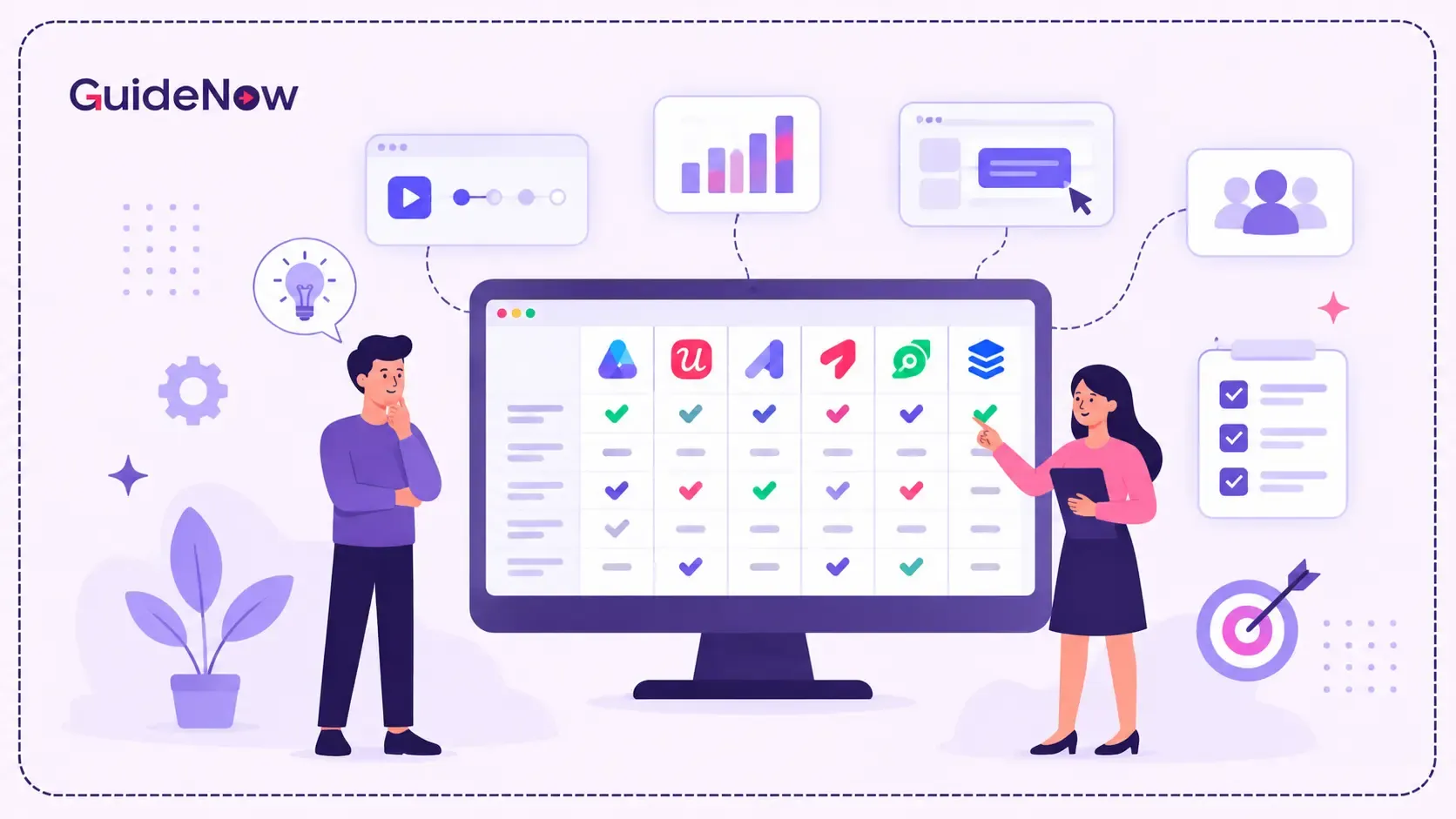
Choosing the right Product Tour Tools in 2026 requires more than comparing tooltip builders and walkthrough templates.
Modern product teams need more than a sequence of pop-ups that tells users where to click. They increasingly need contextual guidance, personalization, feature discovery, analytics, experimentation, AI assistance, and ways to support users after initial onboarding.
For enterprise teams, the decision becomes even more important. A product-tour platform may need to support multiple applications, different user groups, complex workflows, security requirements, and continuous software changes.
The real buying question is not simply:
“Which tool creates the best product tour?”
It is:
“Which platform can help users understand, adopt, and successfully use software throughout the customer or employee journey?”
This guide compares leading platforms based on product-tour capabilities, contextual guidance, analytics, AI, scalability, enterprise readiness, and overall use-case fit. It also explains what buyers should evaluate before selecting a platform.
Best Product Tour Tools in 2026: At-a-Glance Comparison
Not every product-tour platform solves the same problem. Some are primarily designed for SaaS onboarding, while others extend into product analytics, feature adoption, contextual assistance, and broader digital adoption.
| Product Tour Tool | Best For | Key Strength | Consider When |
| GuideNow | Enterprise software adoption and complex applications | Contextual guidance, AI assistance, adoption analytics, and cross-application enablement | Best suited for organizations looking beyond basic product tours toward continuous adoption |
| Appcues | SaaS onboarding and product-led growth | No-code onboarding, targeting, analytics, and lifecycle engagement | Consider when your primary focus is SaaS product adoption and user onboarding |
| Userpilot | Feature adoption and product experimentation | Segmentation, analytics, surveys, and experimentation | Consider when experimentation and feature adoption are central to your strategy |
| Pendo | Product analytics and in-app guidance | Product analytics combined with guides and feedback capabilities | Consider when product analytics and user guidance need to work together |
| Chameleon | Customized in-app experiences | Customization, targeting, and interactive experiences | Consider when highly customized in-app experiences are a priority |
| UserGuiding | No-code user onboarding | Guides, checklists, hotspots, surveys, and analytics | Consider when you need a straightforward no-code onboarding solution |
The important point is that there is no universal winner for every use case. The right platform depends on whether the primary requirement is SaaS onboarding, feature adoption, enterprise application enablement, product analytics, or broader digital adoption.
What Makes a Product Tour Platform Enterprise-Ready?
A basic product tour answers a simple question:
“Where is this feature?”
An enterprise-ready adoption platform needs to answer much more:
“How can we help this user successfully complete the right workflow at the right time?”
That distinction becomes important when organizations have thousands of users, multiple applications, different roles, complex processes, and frequent product changes.
Contextual guidance instead of linear walkthroughs
Traditional product tours generally follow a fixed sequence:
Step 1 → Step 2 → Step 3 → Step 4
That can work for simple applications, but it becomes restrictive when users have different responsibilities and goals.
Modern product-tour platforms should be able to deliver guidance based on:
- User role
- User behavior
- Feature usage
- Account attributes
- Workflow stage
- Previous interactions
- Application screen
- Product lifecycle stage
This allows teams to provide relevant guidance instead of forcing every user through the same experience.
No-code experience creation
A product-tour platform should reduce the dependency on engineering teams.
Product managers, customer success teams, enablement teams, and administrators should be able to create and modify experiences using visual tools.
Important capabilities include:
- Interactive tours
- Tooltips
- Hotspots
- Checklists
- Banners
- Modals
- Announcements
- Contextual pop-ups
- In-app guidance
The ability to update experiences quickly becomes particularly valuable when software releases happen frequently.
AI-assisted tour creation and assistance
AI is becoming an important part of modern product adoption.
However, simply adding an AI label to a tour builder does not make a platform useful.
The more meaningful question is whether AI reduces the effort required to create, maintain, personalize, and deliver guidance.
Useful AI capabilities can include:
- Generating onboarding content
- Creating contextual guidance
- Answering user questions
- Generating dynamic guides
- Assisting administrators
- Providing real-time in-app assistance
The goal should be practical: less manual setup and more relevant assistance.
Adoption analytics
Tour completion should not be the final success metric.
A strong platform should help teams understand:
- Where users abandon a tour
- Which features users discover
- Which features remain underused
- Which user segments require additional guidance
- Whether users complete target workflows
- Whether support dependency changes
- Whether adoption improves over time
This transforms product tours from a content exercise into a measurable adoption program.
Why Product Tours Are Becoming a Broader Adoption Strategy
Product tours are traditionally associated with first-time onboarding.
That is only one use case.
The same technology can help users discover newly released features, understand changed workflows, complete complex tasks, and receive contextual assistance when they encounter friction.
This matters because software implementation does not automatically produce business value.
For organizations investing in employee productivity software, successful adoption is often as important as the technology itself. Employees need to understand how to use new tools, complete tasks efficiently, and incorporate them into their everyday workflows. Product tours and contextual guidance can help reduce the learning curve and improve software adoption.
This becomes even more important as organizations build a digital workforce that relies on multiple business applications and digital tools. In these environments, contextual guidance can help employees navigate unfamiliar software, complete tasks more efficiently, and reduce dependency on IT or training teams.
Gartner reported that only 48% of enterprise digital initiatives meet or exceed their intended business outcome targets, based on its survey of more than 3,100 CIOs and technology executives and more than 1,100 executives outside IT.
The statistic does not mean product tours alone determine transformation success. It does highlight the larger business problem: deploying technology and realizing value from that technology are different outcomes.
For product and technology leaders, this makes adoption an important part of the software lifecycle.
1. GuideNow — Best for Enterprise Product Tours and Digital Adoption
For organizations evaluating product tours as part of a broader enterprise adoption strategy, GuideNow combines interactive product tours with contextual guidance, AI assistance, adoption analytics, and cross-application enablement.
Its current capabilities include interactive tours, announcements, tooltips, hotspots, banners, contextual pop-ups, no-code experience creation, AI-powered assistance, AI-assisted content creation, real-time adoption analytics, and feature-adoption tracking. It is also designed to work across applications without requiring code changes.
Why it stands out for enterprise use cases
The important distinction is scope.
A conventional product-tour tool primarily helps teams introduce users to an interface.
An enterprise adoption platform needs to help users:
- Understand complex software
- Discover relevant functionality
- Complete workflows
- Get contextual assistance
- Adopt underused features
- Receive support without leaving the application
- Measure adoption behavior
This broader approach makes the platform relevant for organizations where product tours are only one component of a larger adoption strategy.
Enterprise capabilities such as role-based access controls, audit logs, encryption, APIs, webhooks, custom SDKs, and enterprise support are also important when the platform becomes part of a larger software ecosystem.
Best for: Enterprises, software organizations, and teams managing complex applications that want product tours to support broader digital adoption rather than isolated onboarding.
2. Appcues — Best for SaaS Product-Led Onboarding
Appcues is designed for teams that want to build in-app experiences without relying heavily on engineering resources.
Its capabilities span onboarding experiences, targeting, analytics, integrations, and lifecycle engagement. The platform is particularly relevant for SaaS teams where product managers and growth teams own activation and user engagement.
Its strength is the combination of no-code experience creation and product-led onboarding capabilities.
Best for: SaaS product and growth teams focused on activation, onboarding, and in-product engagement.
3. Userpilot — Best for Feature Adoption and Experimentation
Userpilot combines product tours with segmentation, analytics, surveys, and experimentation.
This makes it relevant for teams that want to go beyond onboarding completion and understand how in-app experiences influence product behavior.
For example, teams can target users who have not adopted a particular feature and then measure whether contextual guidance changes subsequent usage.
The platform is particularly suitable for product-led organizations where experimentation and behavioral analytics are central to the adoption strategy.
Best for: Product teams focused on activation, feature adoption, segmentation, and experimentation.
4. Pendo — Best for Product Analytics Combined With Guidance
Pendo takes a broader product-experience approach by combining product analytics with in-app guides and related capabilities.
For organizations already looking for product analytics, feedback, journey analysis, and in-app guidance in a connected environment, this broader approach can be valuable.
The key consideration is whether the organization wants product guidance to operate as part of a wider product analytics ecosystem.
Best for: Product organizations that want analytics and in-app guidance closely connected.
5. Chameleon — Best for Advanced In-Product Customization
Chameleon focuses heavily on customizable in-product experiences.
Its capabilities include tours, targeting, experimentation, customization, localization, and AI-related functionality.
This makes it relevant for product teams that want greater control over the presentation and behavior of their in-app experiences.
The platform is particularly useful when design flexibility and experimentation are important evaluation criteria.
Best for: Product teams requiring advanced customization, targeting, and experimentation.
6. UserGuiding — Best for Accessible No-Code Onboarding
UserGuiding provides capabilities including product tours, guides, hotspots, checklists, surveys, analytics, localization, and AI-assisted functionality.
Its no-code approach makes it relevant to organizations where product, customer success, or marketing teams need to create onboarding experiences without depending heavily on developers.
For buyers evaluating the platform, the important considerations include experience creation, segmentation, analytics, scalability, and how well the solution fits into the organization's broader adoption strategy.
Best for: SaaS teams looking for accessible no-code onboarding and user guidance.
Product Tour Software Pricing: What Buyers Should Evaluate
Product-tour pricing varies significantly between vendors, so comparing headline pricing alone can be misleading.
Platforms may structure commercial models around factors such as:
- Monthly active users
- Monthly tracked users
- Number of applications
- Number of published experiences
- Available features
- Integrations
- Enterprise security requirements
- Support requirements
- Implementation services
- Deployment requirements
For this reason, buyers should evaluate total cost for their actual requirements, rather than selecting a platform solely because its entry-level plan appears inexpensive.
Questions to ask vendors about pricing
Before making a decision, ask:
What determines the price?
Understand whether pricing depends on users, applications, experiences, features, or a combination.
What happens as usage grows?
Ask vendors to explain how costs change if the number of active users or applications increases.
Which capabilities are included?
Check whether analytics, segmentation, AI, integrations, experimentation, and governance capabilities are included in the package you require.
Are there implementation costs?
Enterprise deployments may require implementation assistance, integrations, security reviews, or dedicated support.
Are there limits on experiences?
A platform may work well for one onboarding flow but become restrictive when teams need separate experiences for different roles, products, regions, or workflows.
The goal is to understand the complete commercial model, not simply the starting point.
How to Choose the Right Product Tour Platform
The technology adoption curve also helps explain why different users may require different levels of guidance. Early adopters may explore new features independently, while less experienced users may need contextual assistance, walkthroughs, and ongoing support. Product-tour strategies should therefore account for different levels of technology familiarity rather than assuming every user learns at the same pace.
The strongest buying process starts with the problem you need to solve.
If your goal is SaaS onboarding
Prioritize:
- No-code creation
- User segmentation
- Activation analytics
- Onboarding flows
- Experimentation
If your goal is feature adoption
Prioritize:
- Behavioral targeting
- Contextual prompts
- Feature-level analytics
- Personalized experiences
- Experimentation
If your goal is enterprise software adoption
Prioritize:
- Cross-application support
- Contextual guidance
- Security
- Governance
- Role-based permissions
- Integrations
- Analytics
- Scalability
- AI assistance
If your goal is complex workflow enablement
Prioritize contextual guidance over simple linear tours.
The platform should help users understand what to do next, not simply explain where interface elements are located.
If your goal is continuous adoption
Look for capabilities beyond first-session onboarding:
- Feature announcements
- Contextual help
- In-app assistance
- Self-service support
- Feature discovery
- Behavioral analytics
- Ongoing guidance
This is often where organizations discover that a basic onboarding solution no longer meets their requirements.
Product Tour Software vs. Digital Adoption Platforms
One of the most important decisions is determining whether you actually need a product-tour tool or a broader digital adoption platform.
A conventional product-tour platform is generally centered around in-app experiences.
A broader digital adoption platform can address more complex applications, workflows, user groups, and enterprise environments.
For a relatively simple SaaS application, a focused product-tour platform may be sufficient.
For an organization operating CRM, ERP, HR, analytics, procurement, workflow, and other enterprise systems, the requirements are different.
Users need more than an introduction to the interface.
They need help completing business-critical tasks.
That is where contextual guidance, behavioral analytics, AI assistance, workflow support, and ongoing enablement become increasingly important.
What Should You Ask During a Product Tour Vendor Demo?
Do not evaluate a platform only through a sales presentation.
Ask vendors to demonstrate the actual workflows your organization cares about.
1. Build a tour
Can a product manager create and publish a complete experience without engineering assistance?
2. Change the audience
Can the same feature be presented differently to administrators, managers, customers, and standard users?
3. Trigger guidance contextually
Can the platform respond to user behavior or a particular workflow stage?
4. Measure outcomes
Can you see where users abandon an experience and whether they subsequently adopt the targeted feature?
5. Demonstrate scalability
What happens when the number of users, applications, or experiences grows substantially?
6. Demonstrate governance
Can administrators control who creates, publishes, edits, and manages experiences?
7. Demonstrate security
Ask about SSO, encryption, audit logs, permissions, data handling, and compliance requirements.
8. Demonstrate AI
Do not ask simply whether the platform has AI.
Ask:
What does AI actually automate or improve?
Can it create guidance? Answer user questions? Generate experiences? Personalize assistance? Reduce maintenance?
9. Evaluate the commercial model
Ask vendors to provide a scenario-based proposal using your expected users, applications, integrations, and required capabilities.
This gives you a much more realistic basis for comparison.
Why Continuous Adoption Matters After the Tour
A product tour should not be treated as the finish line.
The strongest adoption programs continue after onboarding.
Users may need guidance when:
- A new feature launches
- An interface changes
- A workflow becomes more complex
- A new employee joins
- A customer upgrades
- A user reaches an advanced feature
- A process changes across departments
McKinsey found that more than 70% of organizations that had undertaken a major digital initiative or transformation reported that the effort had lost momentum at some point. More than 60% of those respondents said the causes were factors organizations could reasonably address in the near or medium term.
This is why product adoption should be treated as an ongoing process rather than a one-time onboarding activity.
The objective is not simply to make users complete a tour.
The objective is to help them continuously extract value from the software.
Frequently Asked Questions
1. What are the best Product Tour Tools in 2026?
The leading platforms include GuideNow, Appcues, Userpilot, Pendo, Chameleon, and UserGuiding. However, the right choice depends on the organization's use case. Buyers should compare contextual guidance, analytics, AI capabilities, integrations, scalability, security, governance, and ease of use rather than relying on feature count alone.
2. What should I look for when choosing product tour software?
Prioritize no-code creation, targeting, personalization, contextual guidance, analytics, experimentation, AI capabilities, integrations, scalability, and governance. Enterprise buyers should additionally evaluate security, permissions, deployment requirements, and support.
3. What is the difference between product tour software and customer onboarding software?
Product-tour software primarily focuses on guiding users through an interface. Broader onboarding solutions may include tours alongside checklists, contextual help, surveys, resource centers, analytics, segmentation, and ongoing engagement. The right category depends on whether you need a focused walkthrough or a broader onboarding journey.
4. Can product tours improve feature adoption?
Yes, when tours are connected to user behavior and delivered contextually. Instead of showing every user the same walkthrough, teams can target users who have not discovered or adopted a particular feature and then measure whether guidance changes subsequent behavior.
5. Should enterprises choose a product tour tool or a digital adoption platform?
If the requirement is primarily onboarding users within one relatively simple application, a dedicated product-tour platform may be sufficient. If the organization needs to support complex workflows, multiple applications, different user roles, contextual assistance, analytics, governance, and continuous adoption, a broader digital adoption platform is worth evaluating.