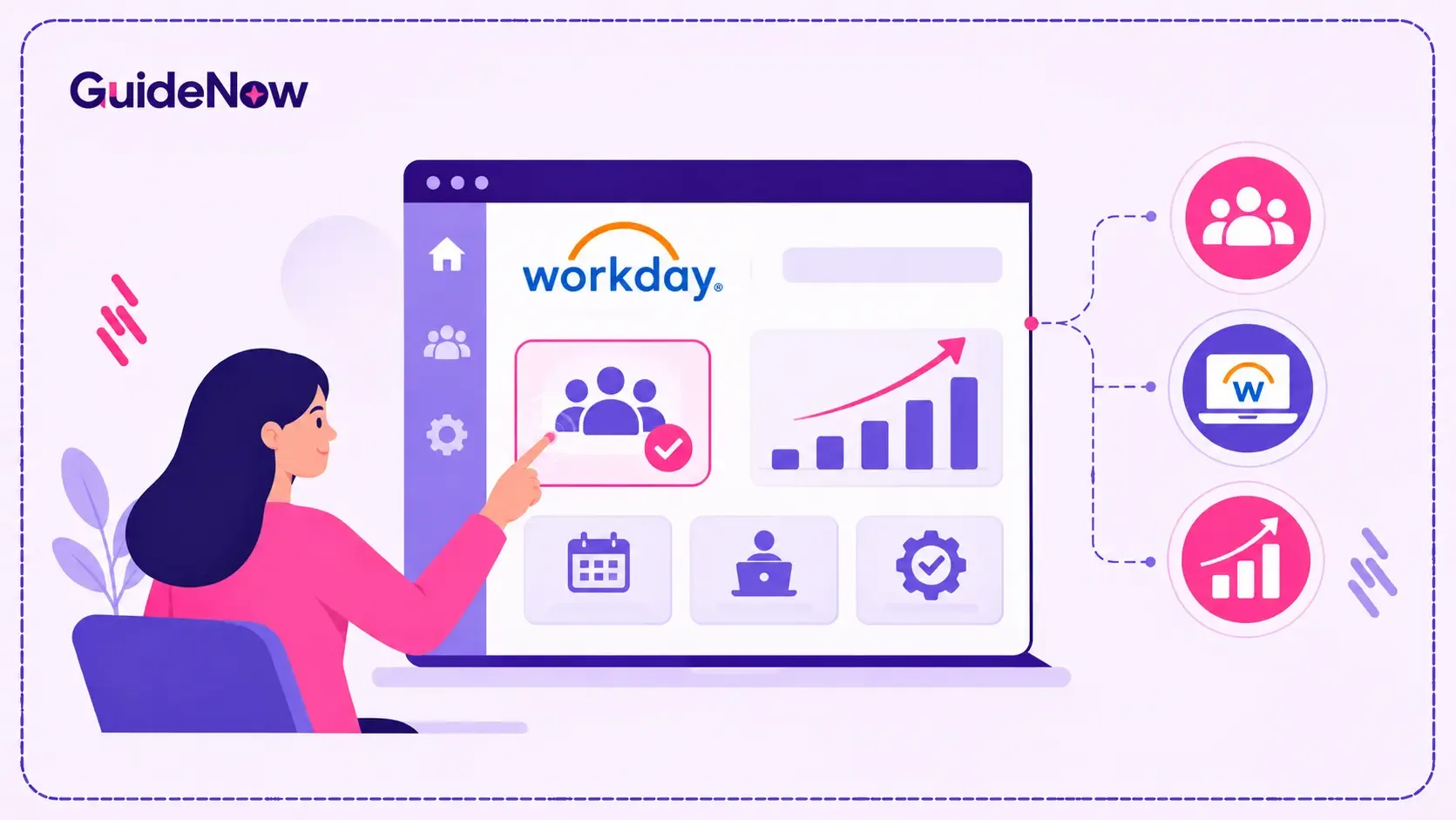
A successful Workday launch does not automatically mean employees are using the platform effectively. Workday user adoption happens when employees, managers, and HR teams consistently use the system to complete their everyday tasks accurately, confidently, and with minimal assistance.
To improve adoption after go-live, organizations need to move beyond initial training. They must identify where users struggle, provide role-specific guidance, simplify important HR workflows, reinforce learning, and measure actual system usage. This is particularly important for activities such as updating personal information, submitting leave requests, approving time, completing performance reviews, and accessing payroll details.
The most effective approach combines targeted communication, practical Workday end-user training, in-application assistance, manager involvement, and continuous measurement. Instead of treating go-live as the finish line, organizations should consider it the beginning of a structured adoption program.
This guide explains why employees struggle with Workday after launch, how to address common adoption barriers, and which practical steps HR and IT teams can take to improve long-term HCM usage.
Why Workday Adoption Often Declines After Go-Live
During a Workday implementation, project teams typically concentrate on configuration, integrations, data migration, testing, and launch readiness. Employees may receive demonstrations, training sessions, and reference materials before the system goes live.
However, the real test begins when employees start using Workday independently.
A demonstration can show someone how to submit a leave request. It cannot guarantee that the employee will remember every step several weeks later. Similarly, managers may understand a performance management workflow during training but struggle when they need to complete an approval under a deadline.
Several factors contribute to this gap:
- One-time training: Employees forget processes they do not perform regularly.
- Different user responsibilities: HR professionals, managers, employees, and payroll teams use different features.
- Unfamiliar workflows: Users may struggle with changed approval processes, navigation, or terminology.
- Limited post-launch support: Project teams often reduce their involvement after deployment.
- Unclear process ownership: Employees may not know whom to contact when something goes wrong.
- Legacy habits: Some users continue relying on spreadsheets, emails, or manual requests.
These Workday adoption challenges are not necessarily signs of a poor implementation. They often indicate that employees need more practical support after the system becomes part of their daily work.
What Poor Workday Adoption Costs an Organization
Low adoption affects more than software usage reports. It can create operational problems across HR, payroll, finance, and individual departments.
For example, if employees do not update personal information correctly, HR teams may spend additional time following up. If managers delay approvals, requests can remain incomplete. If employees cannot find payslips or benefits information, HR support teams may receive avoidable queries.
The wider HR technology landscape highlights why this matters.
According to Gartner's 2024 HR technology survey, only 24% of HR employees reported that their organization was getting maximum value from HR technology. Gartner also found that 69% of more than 1,200 employees had experienced at least one barrier when interacting with HR technology during the previous 12 months.
These findings are not specific to Workday, but they demonstrate a wider problem: deploying HR technology does not guarantee that employees can use it effectively.
For organizations, the consequences can include:
- More HR support requests and manual follow-ups.
- Delayed approvals and incomplete employee transactions.
- Inconsistent use of HR processes across departments.
- Lower confidence in self-service tools.
- Poor visibility into workforce information.
- Reduced return on HR technology investments.
The objective should therefore be to make important Workday tasks easier to complete, not simply to increase login numbers. These everyday interactions also influence the digital employee experience, as employees are more likely to engage with HR technology when they can complete essential tasks without unnecessary friction or repeated assistance.
8 Practical Ways to Improve Workday User Adoption After Go-Live
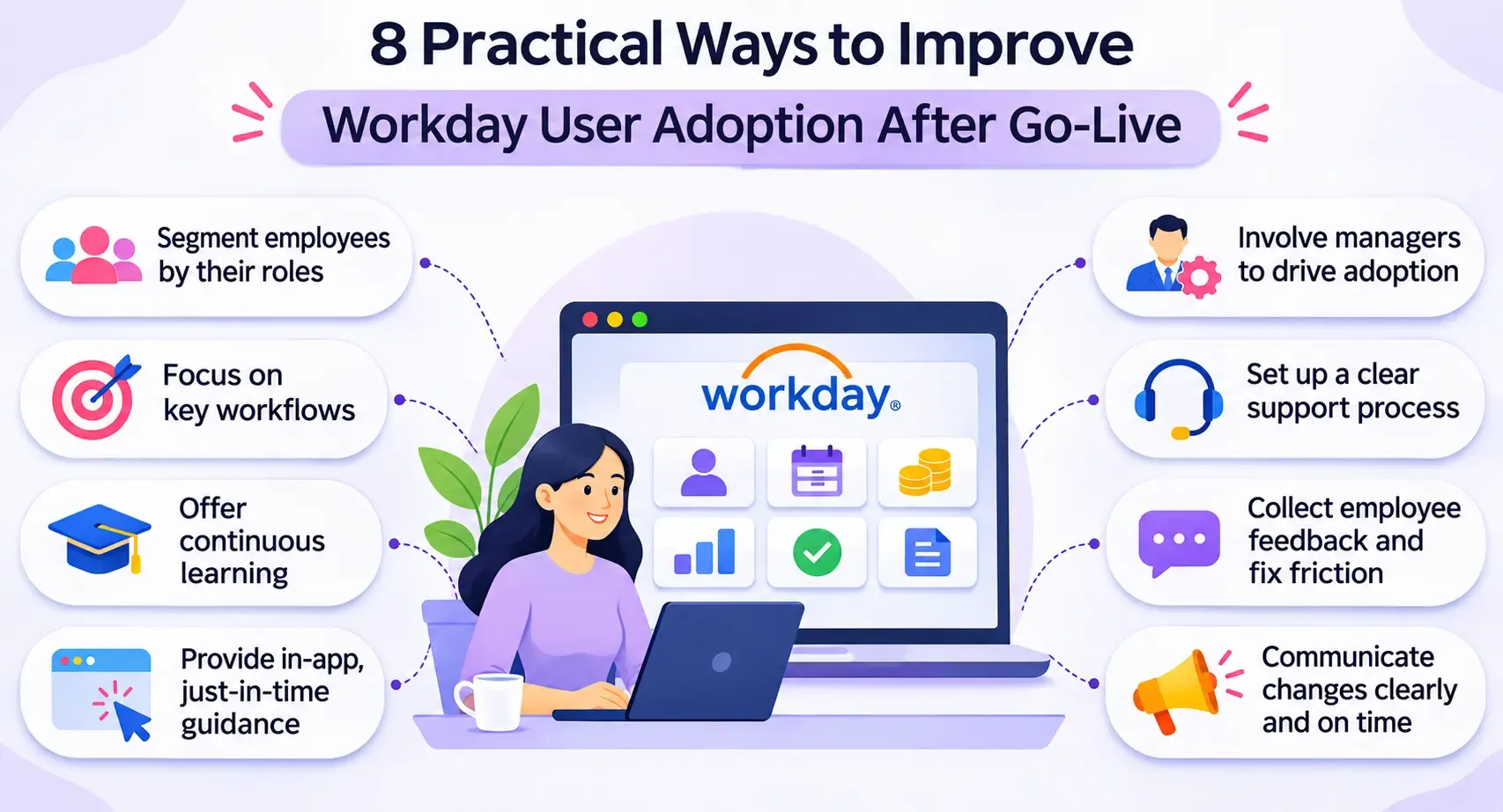
1. Segment Employees by Their Workday Responsibilities
Not every employee needs to learn every Workday feature. Giving everyone the same training can overwhelm users with information that is irrelevant to their responsibilities.
Start by identifying the main user groups:
- Employees: Personal information, payslips, leave requests, benefits, and time entry.
- Managers: Team information, approvals, performance reviews, and absence management.
- HR teams: Employee records, recruitment, onboarding, reporting, and workforce administration.
- Payroll teams: Payroll-related information, validation, and exception handling.
- Finance and business stakeholders: Relevant workforce reports, cost information, and approvals.
Create separate learning paths for each group. An employee who only needs to request leave should not have to complete a lengthy course covering advanced HR administration. This is particularly important because enterprise technology adoption does not happen at the same pace for every employee. Some users adapt quickly, while others need additional guidance, practical examples, and ongoing support before they become comfortable with new workflows.
This role-based approach makes Employee adoption more practical because people learn the tasks they actually need to perform.
2. Prioritize High-Frequency and Business-Critical Workflows
Trying to improve every Workday feature at once can make adoption programs difficult to manage.
Instead, identify workflows that employees use frequently or that have a direct operational impact.
Start with activities such as:
- Updating personal and contact information.
- Submitting and approving leave requests.
- Recording working hours.
- Accessing payslips and tax documents.
- Completing performance reviews.
- Updating employee details.
- Completing manager approvals.
For each workflow, document the expected steps, common mistakes, responsible users, and completion criteria.
Prioritizing these processes gives HR teams a clear starting point. It also makes it easier to identify which workflows require additional training or process improvements.
3. Replace One-Time Training With Continuous Learning
Initial training is necessary, but it should not be the only learning opportunity available to employees.
People often remember information better when they apply it to a real task. This is why organizations should provide short demonstrations, refresher sessions, searchable instructions, and practical examples after launch.
A useful Software adoption program should include:
- Short videos for common employee tasks.
- Step-by-step instructions for manager approvals.
- Refresher sessions before important HR cycles.
- Updated guides when workflows change.
- Frequently asked questions based on actual employee queries.
For example, before an annual performance review cycle, managers could receive a short refresher explaining how to access review forms, provide feedback, and submit evaluations.
The aim is to make learning available throughout the employee journey rather than concentrating it into the launch period. For employees accessing Workday for the first time, this gradual learning approach follows the same principle used in SaaS Onboarding Best Practices: helping users complete meaningful tasks before overwhelming them with every available feature.
4. Provide Just-in-Time Guidance Within Workflows
Employees do not always want to leave Workday, search through a knowledge base, and read a lengthy document to understand one action.
Just-in-time training provides instructions at the moment a user needs them. This can include contextual tips, short walkthroughs, tooltips, and task-specific explanations.
For example:
- A first-time user receives guidance when accessing a leave request.
- A manager sees instructions while completing an approval.
- An employee receives a reminder about required information when updating personal details.
- A user completing a performance review receives guidance on the next step.
Organizations exploring digital adoption in HR can use a digital adoption platform to provide contextual walkthroughs, tooltips, and step-by-step instructions within Workday and other HR applications. This allows employees to get help while completing actual tasks instead of leaving their workflow to search for instructions. GuideNow is one example of a platform used to deliver contextual assistance within enterprise software.
5. Make Managers Responsible for Reinforcing Adoption
Managers have a direct influence on whether employees use new systems consistently. They can explain why a process has changed, reinforce expected behaviors, and identify difficulties within their teams.
However, managers also need support. They should understand the workflows they are expected to approve or monitor before employees are asked to follow them.
Give managers:
- A clear explanation of the processes they own.
- Short guides for frequent approval activities.
- A contact point for unresolved issues.
- Visibility into incomplete or delayed tasks.
- Regular updates about workflow changes.
Include adoption discussions in existing team meetings rather than creating unnecessary reporting exercises.
When managers understand the value of the new process and can help employees navigate it, adoption becomes part of normal team operations.
6. Create a Clear Post-Go-Live Support Process
Employees need to know where to get help when something does not work as expected.
Without a defined support process, users may send questions to different departments, contact colleagues informally, or return to manual workarounds.
Establish clear support channels for:
- Access and login issues.
- Incorrect employee information.
- Payroll and benefits questions.
- Approval delays.
- Workflow errors.
- System navigation and usage questions.
Classify incoming requests by issue type and frequency. If many employees ask the same question about a particular workflow, the problem may be an unclear process or insufficient guidance rather than an individual user mistake.
This feedback should inform training updates and workflow improvements.
7. Collect Employee Feedback and Fix Repeated Friction Points
Adoption reports show what users are doing, but employee feedback helps explain why they behave that way.
Ask employees about the tasks they find difficult, information they cannot locate, and processes that take longer than expected.
Useful questions include:
- Which Workday task is most difficult to complete?
- Where do you usually need help?
- Are any steps unclear or repetitive?
- Do you understand what happens after submitting a request?
- Which tasks still require assistance from HR?
Combine survey responses with support tickets, workflow data, and manager feedback.
Avoid treating every complaint as a training issue. Some problems may involve permissions, configuration, integrations, unclear policies, or process design. Fixing the underlying cause is more effective than repeatedly reminding employees to use the system.
8. Communicate Changes Before and After They Happen
Workday workflows and organizational policies may change over time. Employees need to understand what has changed, who is affected, and what action they must take.
A useful communication message should explain:
- What is changing?
- When does the change take effect?
- Which employees or managers are affected?
- What action is required?
- Where can users find instructions?
Use relevant channels such as email, internal announcements, team meetings, and in-application messages.
Keep communication specific. Instead of announcing that a new HR feature is available, explain what employees can now do with it and how the change affects their daily responsibilities.
Traditional Training vs. Continuous In-App Guidance
Traditional training and in-app guidance serve different purposes. Organizations should use them together rather than assuming one can replace the other.
Comparison area | Traditional training | Continuous in-app guidance |
Learning approach | Scheduled sessions and courses | Guidance during actual tasks |
Timing | Before or around go-live | Available during everyday usage |
Personalization | Often based on broad user groups | Can be tailored to specific roles and workflows |
Information retention | Users may forget steps after training | Instructions are available when needed |
Support for infrequent tasks | Users may need to revisit training material | Contextual instructions can guide the task |
Updates | Training material needs manual revision and distribution | Guidance can be updated alongside process changes |
Best suited for | Foundational knowledge and complex concepts | Task completion and immediate assistance |
A balanced Digital adoption strategy combines structured learning with practical support inside the application. Training explains the process, while contextual guidance helps employees apply that knowledge when completing real work.
Build a 30-60-90-Day Workday Adoption Plan
A defined post-launch timeline helps HR and IT teams move from immediate support to long-term improvement.
Period | Main priority | Recommended actions |
First 30 days | Stabilize usage | Monitor access issues, support requests, task completion, and employee feedback. Resolve critical workflow problems. |
Days 31–60 | Improve proficiency | Identify struggling user groups, provide targeted refresher sessions, and add guidance to frequently used workflows. |
Days 61–90 | Optimize performance | Review adoption metrics, address repeated friction, improve self-service, and establish ongoing ownership. |
The plan should be adjusted according to the organization's size, rollout complexity, workforce structure, and the number of Workday modules deployed.
A phased Software adoption framework also helps teams assign responsibilities. HR should own process clarity, IT should address technical issues, managers should reinforce expected behaviors, and the adoption team should monitor usage and identify friction.
Which Metrics Should You Track to Measure Workday Adoption?
Measuring adoption requires more than checking how many employees have logged in. A user may access Workday without completing important tasks or using the features relevant to their role.
Track a combination of usage, workflow, support, and experience metrics.
1. Active user rate: Measures how many eligible employees actively use Workday during a defined period.
2. Workflow completion rate: Tracks the percentage of initiated tasks completed successfully, such as leave requests or approvals.
3. Self-service adoption rate: Measures how frequently employees complete HR activities independently rather than contacting HR.
4. Approval turnaround time: Shows how quickly managers complete assigned approvals.
5. Support ticket volume: Identifies recurring problems and areas where employees need additional assistance.
6. Training effectiveness: Measures whether employees can perform important tasks after completing training.
7. Employee satisfaction: Captures how employees perceive the ease of using HR systems and completing HR-related activities.
G2's Fall 2026 Workday HCM implementation analysis reports an average user adoption figure of 80% for Workday HCM, compared with 81% for the wider Core HR category. This is a G2 review-based benchmark, not a universal adoption target or a guarantee for every deployment.
Organizations should establish their own baseline and compare performance over time. For example, if leave-request completion improves but manager approval times remain high, the next improvement should focus on the manager workflow rather than repeating employee training.
Common Mistakes to Avoid After Workday Go-Live
Even well-planned adoption programs can lose momentum when organizations make the following mistakes:
- Treating go-live as the end of the project: Adoption requires continued ownership and support.
- Training everyone in the same way: Different roles need different workflows and learning materials.
- Measuring logins instead of outcomes: Access does not prove that users can complete important tasks.
- Ignoring manager adoption: Delayed approvals and inconsistent processes can affect entire teams.
- Overlooking employee feedback: Repeated questions often reveal issues that usage reports cannot explain.
- Relying only on documentation: Employees need help that is easy to find and relevant to the task they are performing.
- Failing to update learning materials: Outdated instructions create confusion when workflows change.
Organizations can avoid these issues by reviewing adoption performance regularly and assigning clear ownership for improvements.
Conclusion: Make Workday Adoption an Ongoing Business Priority
A successful Workday launch is an important milestone, but it does not guarantee that employees will use the platform effectively. Long-term Workday user adoption depends on how well organizations support people after deployment.
The most effective approach combines role-specific learning, high-priority workflow improvements, continuous guidance, manager involvement, accessible support, and meaningful adoption metrics. These activities help employees become more confident while reducing avoidable HR queries, incomplete transactions, and manual workarounds.
HR and IT teams should treat adoption as an ongoing operational responsibility rather than a short-term implementation activity. By listening to employees, identifying friction, and improving the experience based on actual usage, organizations can turn Workday into a system that supports everyday workforce processes and delivers lasting business value.
Frequently Asked Questions(FAQ’s)
1. How long does it take employees to adopt Workday after go-live?
There is no fixed adoption timeline. It depends on the number of modules deployed, employee roles, workflow complexity, training quality, and ongoing support. Organizations should monitor adoption during the first 30, 60, and 90 days and continue improving workflows beyond that period.
2. How can HR teams increase Workday self-service adoption?
HR teams can improve self-service by simplifying employee workflows, providing role-specific instructions, making help easy to access, and communicating the benefits of completing HR tasks independently. Monitoring incomplete requests and recurring support questions also helps identify where additional guidance is needed.
3. What are the most common reasons employees struggle with Workday?
Common reasons include unfamiliar navigation, insufficient practice, unclear approval processes, limited post-launch support, and confusion about role-specific responsibilities. Technical issues and incorrect permissions can also prevent employees from completing tasks successfully.
4. What is the difference between Workday training and post-go-live adoption support?
Workday training prepares users to understand the system and its workflows. Post-go-live adoption support helps them apply that knowledge during everyday work through refresher learning, contextual guidance, support channels, feedback, and ongoing workflow improvements.
5. How do organizations measure the success of Workday adoption?
Organizations should measure active usage, workflow completion, employee self-service, approval turnaround time, support ticket volume, training effectiveness, and employee satisfaction. These metrics provide a more complete picture than login counts alone and help identify where additional support is needed.