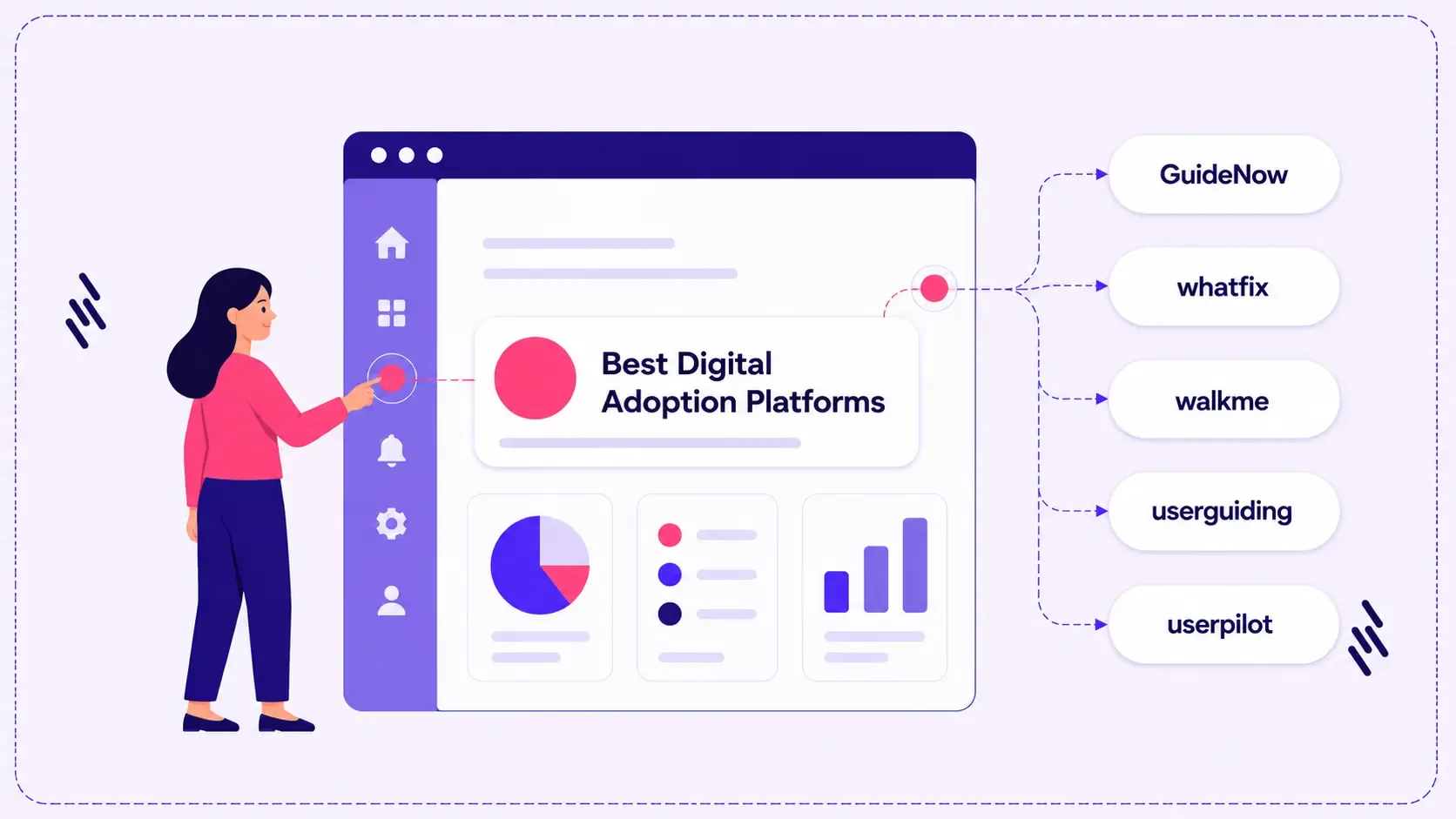
Organizations are investing more than ever in enterprise applications—from ERP and CRM systems to HR platforms and collaboration tools. Yet, implementing software is only the first step. The real challenge lies in ensuring employees embrace these applications and use them effectively in their day-to-day work.
According to industry research, poor software adoption continues to be one of the biggest barriers to realizing the full value of digital transformation initiatives. Lengthy training sessions, outdated documentation, and disconnected support resources often leave employees struggling to complete tasks, increasing support costs and slowing productivity.
This is where Digital Adoption Platforms (DAPs) have become an essential part of the enterprise technology stack.
Rather than expecting users to learn before they work, a Digital Adoption Platform provides contextual guidance directly within business applications. Employees receive step-by-step instructions, interactive walkthroughs, and timely assistance while completing tasks, making learning part of the workflow instead of a separate activity.
However, not every platform is built for the same purpose. Some prioritize enterprise-scale governance and analytics, while others focus on SaaS onboarding or product engagement.
To help you make an informed decision, we've compared seven leading Digital Adoption Platforms based on their capabilities, strengths, ideal use cases, and enterprise readiness.
What Is a Digital Adoption Platform?
A Digital Adoption Platform (DAP) is a software solution that overlays enterprise applications to help users complete tasks through contextual, in-app guidance.
Instead of relying on manuals, classroom training, or external documentation, users receive assistance exactly when and where they need it.
Modern platforms typically provide:
- Interactive walkthroughs
- Product tours
- Tooltips and hotspots
- Checklists
- Contextual help
- Knowledge resources
- Usage analytics
- Feedback collection
- In-app announcements
- Adoption reporting
For enterprises managing multiple business applications, these capabilities reduce the learning curve while improving employee productivity and software utilization.
Why Enterprises Are Investing in Digital Adoption Platforms
As organizations continue adopting cloud applications and AI-powered business systems, employees are expected to learn new tools more frequently than ever before.
Without structured adoption strategies, businesses often experience:
- Slow onboarding for new employees
- Increased dependency on support teams
- Low feature adoption
- Poor user experience
- Inconsistent business processes
- Higher training costs
- Delayed return on software investments
Digital Adoption address these challenges by embedding guidance directly into the flow of work, helping users become productive faster while giving administrators visibility into adoption trends.
Comparison of the Best Digital Adoption Platforms
Platform | Best For | Analytics | AI & Guidance | Enterprise Readiness | Pricing |
| GuideNow | Enterprise software adoption and user guidance | Advanced | Contextual in-app guidance | Excellent | Custom |
| Whatfix | Large enterprise implementations | Advanced | AI-assisted guidance | Excellent | Custom |
| WalkMe | Enterprise digital transformation | Advanced | AI-powered automation | Excellent | Custom |
| Pendo | Product analytics and user insights | Excellent | In-app guides | Excellent | Custom |
| UserGuiding | Small to mid-sized organizations | Standard | Interactive guides | Good | Tiered |
| Userpilot | SaaS product adoption | Advanced | Personalized onboarding | Good | Custom |
| Chameleon | SaaS onboarding experiences | Standard | Product tours | Good | Custom |
1. GuideNow
Overview
GuideNow is a digital adoption platform built to help organizations accelerate software adoption through contextual in-app guidance and actionable adoption insights. Rather than relying on traditional training methods, GuideNow enables employees to learn workflows within the applications they already use, creating a smoother onboarding experience and reducing friction during everyday tasks.
The platform is designed to help enterprises improve software utilization, reduce repetitive support requests, and gain better visibility into user behavior. Its combination of interactive in-app guidance and adoption analytics supports organizations looking to maximize the value of their software investments while simplifying change management initiatives.
Key Features
- Interactive product tours
- Step-by-step walkthroughs
- Tooltips and hotspots
- Checklists
- In-app announcements
- Knowledge base integration
- User analytics
- Reports and dashboards
- Session tracking
- User and team management
- Configuration management
- File management capabilities
Best For
Enterprises looking to improve software employee onboarding, simplify software adoption, reduce training effort, and gain insights into application usage.
Pros
- Delivers contextual guidance within enterprise applications
- Helps reduce training dependency through in-app assistance
- Provides visibility into software adoption and user engagement
- Supports multiple guidance formats to accommodate different learning needs
- Designed to improve software utilization and user productivity
Considerations
- Pricing is available through custom enterprise plans.
- Organizations should evaluate deployment requirements based on their application landscape.
2. Whatfix
Overview
Whatfix is one of the most established platforms in the digital adoption market, offering organizations a comprehensive toolkit for employee onboarding, software guidance, and change management. Its platform is widely adopted by enterprises implementing complex business applications across multiple departments.
The platform combines interactive walkthroughs, contextual help, self-service support, and analytics to improve software proficiency while reducing the burden on IT and training teams.
Key Features
- Interactive walkthroughs
- Smart tips
- Self-help widget
- Process documentation
- Task lists
- User analytics
- Multi-language support
- Enterprise integrations
Best For
Large enterprises managing complex application ecosystems and digital transformation initiatives.
Pros
- Mature platform with broad enterprise capabilities
- Extensive integration ecosystem
- Strong reporting and analytics
- Supports multilingual deployments
Considerations
- Premium pricing
- Implementation may require dedicated project resources
3. WalkMe
Overview
WalkMe is recognized for helping enterprises simplify complex digital transformation initiatives through in-app guidance, workflow automation, and digital experience insights. It enables organizations to guide employees through business processes while monitoring how applications are being used.
The platform is particularly suited to large enterprises introducing new technologies or modernizing legacy systems across multiple regions and business units.
Key Features
- Interactive guidance
- Workflow automation
- Digital employee experience analytics
- AI-powered recommendations
- Smart notifications
- Enterprise integrations
- User segmentation
Best For
Global enterprises managing large-scale software implementations and organizational change.
Pros
- Strong enterprise capabilities
- Advanced analytics
- Comprehensive automation features
- Extensive integration support
Considerations
- More complex implementation than some alternatives
- Higher investment compared to mid-market solutions
4. Pendo
Overview
Pendo is best known for combining product analytics, user feedback, and in-app guidance into a single platform. Unlike traditional digital adoption solutions that primarily focus on onboarding, Pendo places significant emphasis on understanding how users interact with software and identifying opportunities to improve the overall digital experience.
For enterprises, this means teams can monitor feature adoption, identify friction points, collect user feedback, and deliver contextual guidance without relying solely on assumptions. Its analytics capabilities make it particularly valuable for organizations that want to make data-driven decisions about software adoption and optimization.
Key Features
- In-app guides and walkthroughs
- Product usage analytics
- Feature adoption tracking
- User segmentation
- Session insights
- Polls and surveys
- Feedback management
- Journey analytics
- Mobile and web application support
Best For
Organizations looking to combine digital adoption with product analytics and user experience insights.
Pros
- Strong analytics capabilities
- Comprehensive user behavior insights
- Built-in feedback collection
- Suitable for large enterprises
- Supports both web and mobile applications
Considerations
- Some advanced capabilities have a learning curve.
- Organizations focused primarily on employee enablement may evaluate whether the broader product analytics functionality aligns with their needs.
5. UserGuiding
Overview
UserGuiding is designed to help organizations create onboarding experiences without requiring extensive technical expertise. Its intuitive interface enables teams to build interactive product tours, checklists, and onboarding flows that help users become familiar with software more quickly.
While it serves organizations of different sizes, UserGuiding is often considered by growing businesses that want to improve onboarding without implementing a highly complex enterprise platform.
Key Features
- Interactive product tours
- Checklists
- Hotspots
- Tooltips
- Resource center
- User segmentation
- Announcement modals
- Basic analytics
Best For
Growing organizations seeking an easy-to-use onboarding platform with minimal implementation complexity.
Pros
- User-friendly interface
- Quick implementation
- Good onboarding capabilities
- Suitable for business teams without extensive technical resources
Considerations
- Enterprise analytics may be less comprehensive than some larger platforms.
- Organizations with complex governance requirements should evaluate scalability during the selection process.
6. Userpilot
Overview
Userpilot focuses on improving user onboarding, feature adoption, and engagement within SaaS applications. The platform enables organizations to deliver personalized onboarding experiences while monitoring how users interact with different features.
Its combination of guidance, segmentation, analytics, and experimentation allows product and customer success teams to optimize onboarding journeys based on user behavior.
Key Features
- Interactive onboarding flows
- Product tours
- Checklists
- User segmentation
- Feature tagging
- Event tracking
- In-app surveys
- A/B testing
- Usage analytics
Best For
SaaS companies looking to improve product adoption and user engagement through personalized onboarding experiences.
Pros
- Strong onboarding customization
- Flexible user segmentation
- Detailed product usage insights
- Supports experimentation and optimization
Considerations
- Primarily designed for SaaS product experiences.
- Organizations requiring broader enterprise application support should assess compatibility with their software ecosystem.
7. Chameleon
Overview
Chameleon is a product adoption platform that enables organizations to create contextual product tours, announcements, and onboarding experiences for web applications. Its flexible approach allows product teams to guide users through new features and workflows without extensive development effort.
The platform is particularly popular among SaaS businesses looking to improve user engagement and communicate product updates effectively.
Key Features
- Product tours
- Tooltips
- Launchers
- Announcement banners
- User segmentation
- Help widgets
- Basic reporting
- Integrations with product analytics tools
Best For
Product-led organizations looking to improve onboarding and communicate feature updates within web applications.
Pros
- Flexible onboarding experiences
- Good customization options
- Developer-friendly implementation
- Supports feature announcements
Considerations
- Enterprise governance capabilities may differ from platforms built specifically for large-scale digital transformation.
- Organizations should evaluate reporting and analytics depth based on their business requirements.
How to Choose the Right Digital Adoption Platform
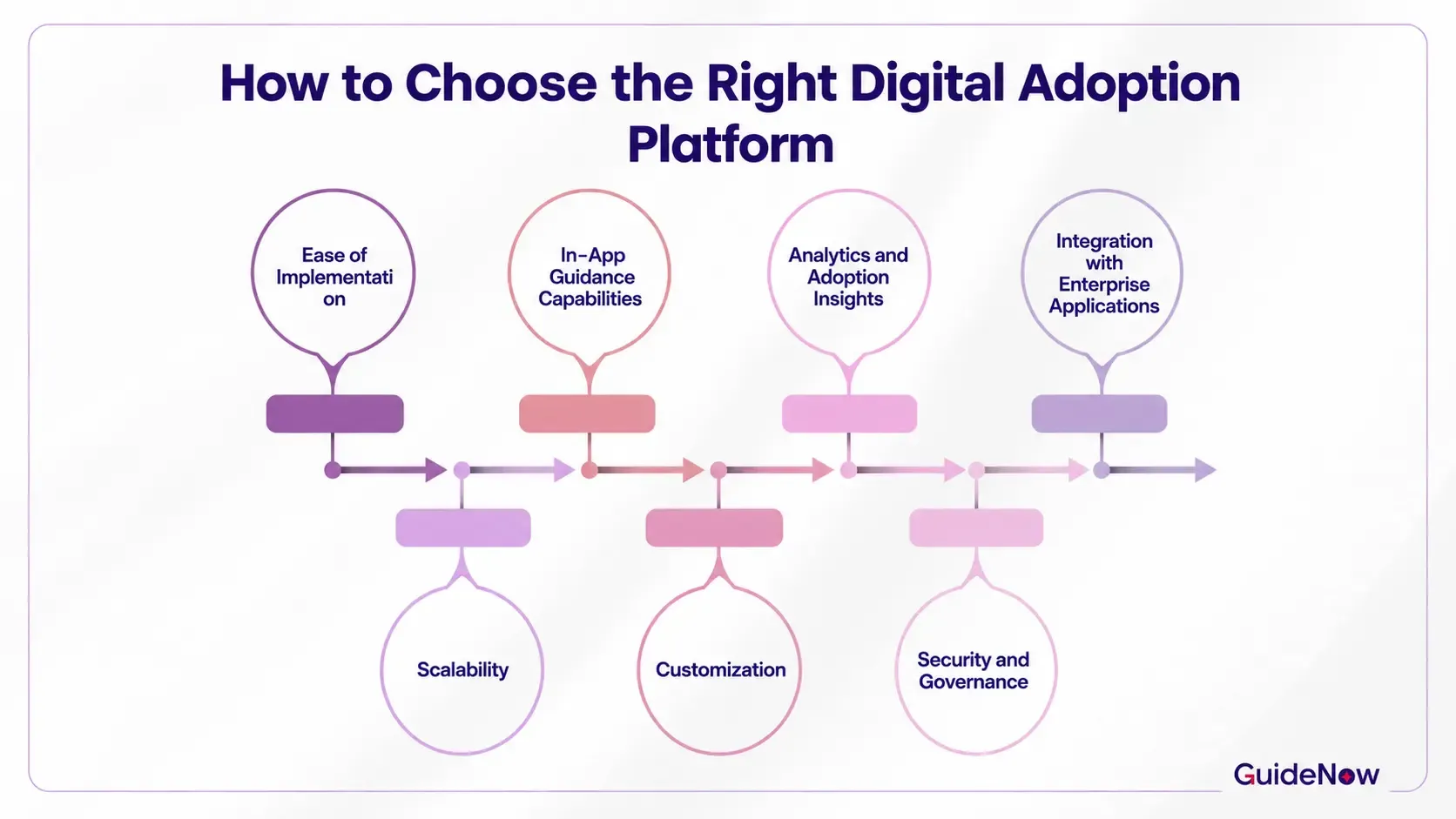
Selecting a Digital Adoption Platform involves more than comparing feature lists. The right solution should align with your organization's technology landscape, employee experience goals, and long-term digital transformation strategy.
Here are the key factors enterprise buyers should evaluate.
1. Ease of Implementation
A platform should integrate smoothly with your existing applications and allow guidance to be created without lengthy deployment cycles. Consider the implementation effort required for both administrators and business users.
2. In-App Guidance Capabilities
Look for solutions that provide multiple guidance formats, including interactive walkthroughs, product tours, tooltips, checklists, announcements, and contextual assistance. These features help employees complete tasks without interrupting their workflow.
3. Analytics and Adoption Insights
Understanding how employees use business applications is essential for continuous improvement. Look for reporting capabilities that help identify adoption trends, feature usage, completion rates, and areas where users experience friction.
4. Integration with Enterprise Applications
Your chosen platform should work seamlessly with the applications employees use every day. Evaluate compatibility with CRM, ERP, HR, finance, IT service management, and custom business applications.
5. Scalability
As organizations grow, digital adoption requirements become more complex. Consider whether the platform can support multiple business units, expanding user bases, and additional applications without increasing operational complexity.
6. Customization
Every organization has unique workflows and business processes. The ability to tailor onboarding experiences, guidance content, and user journeys helps ensure employees receive relevant support.
7. Security and Governance
For enterprise deployments, security is a critical consideration. Evaluate authentication options, administrative controls, compliance requirements, and governance capabilities that align with your organization's policies.
8. Vendor Support and Product Roadmap
Beyond features, consider the vendor's customer support, implementation services, product innovation, and long-term roadmap. A platform that continues to evolve alongside changing enterprise requirements can provide greater long-term value.
Choosing the Best Platform for Your Organization
Every organization has different priorities when evaluating a Digital Adoption Platform.
- GuideNow is well suited for organizations looking to improve software adoption through contextual in-app guidance, interactive onboarding, and adoption analytics while helping reduce training effort and support dependency.
- Whatfix is a strong option for enterprises requiring extensive integrations and mature change management capabilities.
- WalkMe is ideal for large organizations managing enterprise-wide digital transformation initiatives.
- Pendo is a good choice when product analytics and user feedback are key priorities.
- Userpilot is well suited for SaaS organizations focused on product engagement.
- UserGuiding offers a straightforward onboarding experience for growing businesses.
- Chameleon is a practical choice for product teams looking to enhance onboarding within web applications.
Rather than selecting the platform with the longest feature list, organizations should prioritize the solution that best fits their business objectives, user experience requirements, and technology ecosystem.
Conclusion
Selecting the right Digital Adoption Platform is about more than comparing feature lists—it's about finding a solution that aligns with your organization's digital transformation strategy, workforce needs, and long-term technology goals.
Each platform in this guide offers distinct strengths. WalkMe is well suited for organizations managing complex transformation initiatives, Whatfix provides a mature platform for enterprise onboarding and change management, Pendo combines adoption with product analytics, while Userpilot, UserGuiding, and Chameleon cater to different onboarding and product engagement requirements.
For organizations looking to improve software adoption across enterprise applications, GuideNow offers a practical approach by combining contextual in-app guidance with adoption analytics to help employees learn within the flow of work. Its focus on reducing training dependency, improving software utilization, and providing visibility into user engagement makes it a solution worth evaluating alongside other leading platforms. Rather than replacing existing training programs, it complements them by delivering guidance when users need it most, helping organizations improve productivity and maximize the value of their software investments.
Ultimately, the best Digital Adoption Platform is the one that fits your organization's unique processes, application landscape, and adoption objectives. Taking the time to evaluate capabilities, scalability, implementation effort, and long-term value will help ensure a successful investment.
Frequently Asked Questions(FAQ's)
1. Which Digital Adoption Platform is best for large enterprises?
The right platform depends on your organization's goals, existing technology stack, and implementation requirements. Enterprises prioritizing large-scale digital transformation may evaluate platforms such as WalkMe or Whatfix, while organizations looking to improve software adoption through contextual in-app guidance and actionable adoption insights may consider GuideNow. The best approach is to compare capabilities, deployment models, analytics, integrations, and vendor support before making a decision.
2. How long does it take to implement a Digital Adoption Platform?
Implementation timelines vary based on the number of applications, customization requirements, and organizational complexity. Smaller deployments may take only a few weeks, while enterprise-wide implementations across multiple business applications can take several months. Choosing a platform with intuitive content creation and simplified deployment can significantly reduce implementation time.
3. Can a Digital Adoption Platform support multiple business applications?
Yes. Most enterprise-grade Digital Adoption Platforms are designed to work across multiple applications, enabling organizations to deliver consistent guidance for CRM, ERP, HR, finance, customer service, and internally developed systems. This allows employees to receive contextual assistance regardless of the application they're using.
4. How can organizations measure the success of a Digital Adoption Platform?
Success is typically measured using key adoption metrics such as:
- User adoption rate
- Feature utilization
- Task completion rates
- Time to proficiency
- Employee onboarding time
- Reduction in support tickets
- Training cost savings
- User engagement trends
Many platforms also provide analytics dashboards to help organizations identify areas for continuous improvement.
5. Should enterprises prioritize analytics or in-app guidance when selecting a platform?
Both capabilities are important and should complement each other. In-app guidance helps employees complete tasks efficiently, while analytics provide visibility into user behavior, adoption trends, and areas where additional support may be needed. Together, these capabilities enable organizations to improve user experiences and maximize software adoption over time.
6. What questions should you ask before requesting a Digital Adoption Platform demo?
Before scheduling a demo, consider asking:
- How does the platform integrate with our existing applications?
- How long does implementation typically take?
- What analytics and reporting capabilities are included?
- How easy is it to update guidance after software changes?
- What support and onboarding services are available?
- How does the platform scale as our organization grows?
- What security and compliance standards does the platform support?