You are walking out of a client meeting when your CEO messages you: “What did the West region close last quarter, and how does that compare to plan?” You know the number lives in a dashboard. The dashboard lives on your laptop. Your laptop is in a bag in the back of a taxi. So you reply “I’ll check and get back to you,” and the moment passes.
That gap is exactly what mobile BI is supposed to close. But most mobile business intelligence still means squeezing a desktop dashboard onto a phone screen and hoping you can find the right filter with your thumb. This guide shows you what mobile BI really needs to do for leaders who spend their day away from a desk, and how to tell a useful tool from a shrunken one.
What Is Mobile BI?
Mobile BI, short for mobile business intelligence, is the ability to access, explore, and share business data on a phone or tablet instead of a desktop. It extends your existing business intelligence setup to wherever you happen to be.
It’s helpful to think of mobile BI in two generations.
The first generation took dashboards built for large monitors and made them viewable on smaller screens. You could see your KPIs, pinch to zoom, and tap a filter or two. Useful for a glance, frustrating for anything more.
The second generation starts with the question instead of the dashboard. You ask what you want to know, by typing or speaking, and get back a chart or a clear answer sized for your screen. That shift matters because leaders rarely need to browse data on the move. They need one specific answer, fast.
Why Business Intelligence on Mobile Matters More Than Ever
Analysts see where the market is heading. Grand View Research expects mobile BI to be the fastest-growing BI technology segment from 2026 to 2033. Its business intelligence software market report also shows executive management held the largest market share by function in 2025.
The workforce explains why. According to Boston Consulting Group, deskless workers, including those in construction, distribution, factories, health care, retail, and transportation, make up approximately 75% to 80% of all workers. The people running those operations spend their days on floors, in stores, and on sites, not behind monitors.
Your own calendar probably tells the same story. Board meetings, customer visits, plant walk-throughs, and travel between regions fill the hours when decisions actually get made. If your data only works at a desk, it misses most of those moments, and leaders end up deciding on memory and gut feel instead.
Why Shrinking a Dashboard Doesn’t Work
Most mobile BI tools disappoint leaders for three predictable reasons.
The Screen Is Too Small for the Design
A dashboard designed for a 27-inch monitor might hold twelve charts, a filter panel, and a data table. On a phone, that becomes endless scrolling, unreadable labels, and tap targets too small to hit accurately while you walk.
The Questions Were Decided in Advance
A dashboard only answers the questions someone predicted when they built it. If your question is slightly different, say the West region excluding one large deal, you are stuck. This is the same limitation that makes static dashboards frustrating at a desk, and it gets worse when you can’t fall back on exporting to a spreadsheet.
Navigation Eats the Moment
Opening the app, finding the right report, setting the date range, and applying three filters can take several minutes on a phone. In a hallway conversation, you don’t have several minutes.
What Leaders Actually Need From Mobile BI Solutions
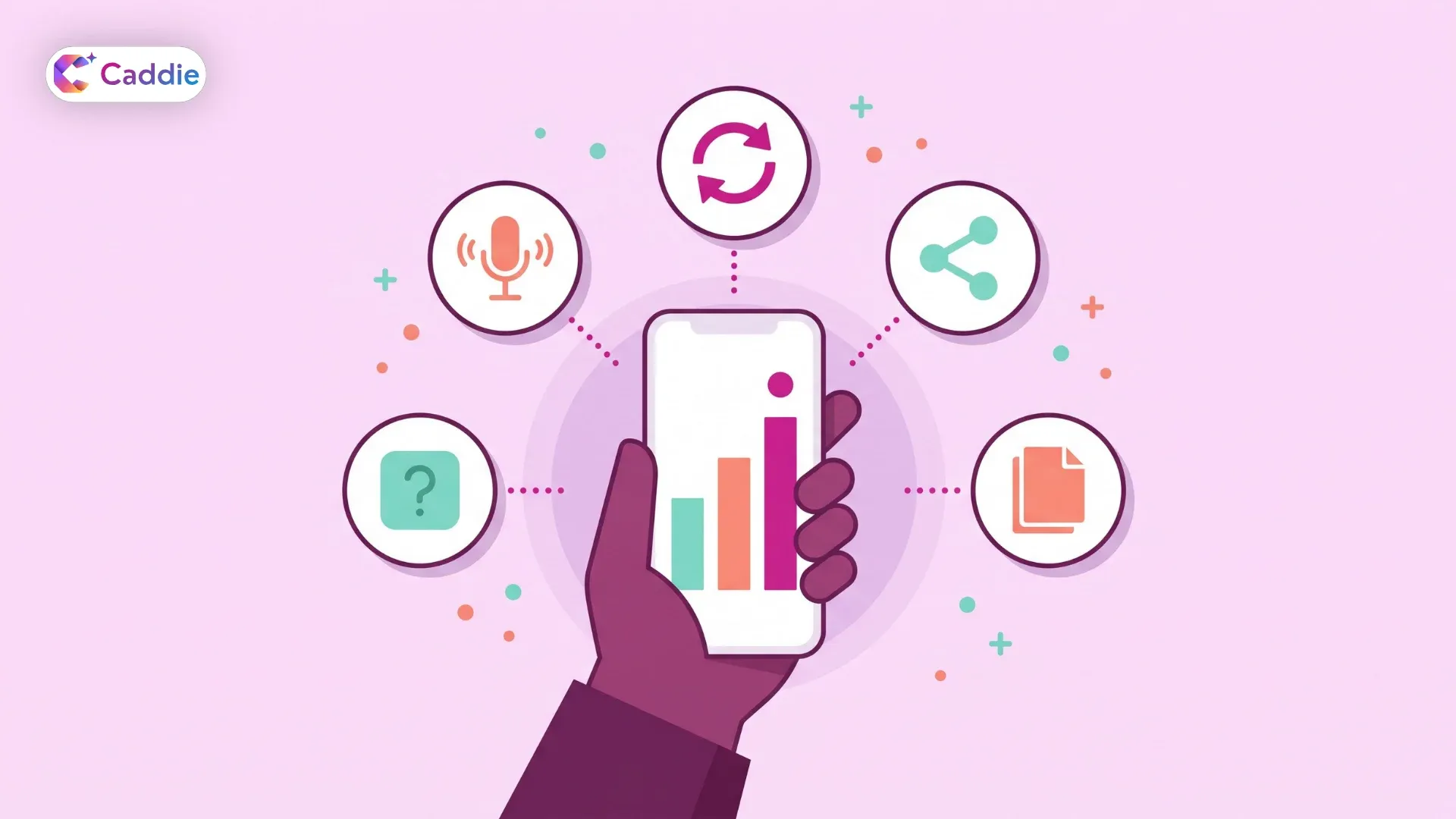
The best mobile BI solutions are designed around short, high-stakes moments. Here is what that looks like in practice.
Ask Instead of Navigate
Typing “West region revenue last quarter vs plan” should return the answer directly. Natural language query removes the menus and filters entirely, which is exactly what a small screen needs. You describe what you want, and the tool works out which data to pull. On a phone, every tap you remove is one more reason people keep using the tool.
Use Your Voice When Your Hands Are Busy
Typing on a phone while walking a warehouse floor or waiting at a gate may not be convenient. Voice search lets you speak the question and read the answer. For field leaders and executives in transit, hands-free access is often the difference between checking the data and skipping it.
Follow Up Without Starting Over
Your first answer usually triggers a second question. “Why did it drop? Break it down by product.” Conversational analytics keeps the context of your previous question, so each follow-up takes seconds rather than a new search through reports.
Share the Answer in One Tap
An insight only helps if it reaches the person who needs to act. Look for the ability to send a chart straight to email or a messaging app, or export it as a PDF or spreadsheet, without taking screenshots and cropping them.
Reach Documents, Not Just Databases
Many questions on the move involve a contract term, a policy limit, or a figure from last month’s report. A mobile dashboard tool that only reads database tables can’t help with those. Coverage of PDFs, policies, and spreadsheets turns your phone into a genuine source of answers.
Where Mobile BI Pays Off
You might recognize these situations from your own week. Right before a meeting you have five minutes in the lobby before a quarterly review with a key account. You ask for their order volume, open support issues, and renewal date, then walk in prepared.
During a site or store visit, a regional manager notices a stock gap. Instead of making a note to check later, they ask for the store’s inventory trend and compare it with nearby locations on the spot.
In the middle of a negotiation, a procurement lead needs last year’s spend with a supplier and the payment terms in the current contract. Both answers arrive while the conversation is still happening.
A COO traveling to three plants in a week checks overnight output and on-time delivery each morning, with no laptop and no analyst on call. In every case, the value isn’t the chart itself. It’s making a decision with evidence instead of instinct, at the moment the decision happens.
Keep Mobile Access Secure
Putting business data on phones changes your risk surface. Devices get lost, screens get seen in public, and answers get forwarded. That doesn’t mean you should avoid mobile reporting. It means your controls need to travel with the data.
Start with the basics. Single sign-on (SSO) and multi-factor authentication confirm that the right person is asking. Role-based access ensures a regional manager sees only their region, whether they ask from a laptop or a phone. Your existing data governance rules should apply on every device, with no separate, looser rule set for mobile. Ask vendors how sessions time out on mobile and what happens when a device is reported lost.
It’s also worth agreeing on simple habits with your teams, such as sharing answers through approved channels and keeping sensitive views off shared screens.
How to Choose Mobile BI Tools
When you compare mobile BI tools, test them where they will actually be used: on a phone, outside the office, by someone who isn’t an analyst. Ask these questions:
- Can a non-technical leader get a correct answer in minutes, without training?
- Does it accept typed and spoken questions, and handle follow-ups?
- Are answers formatted for a phone screen, or just a scaled-down desktop view?
- Can it reach documents and spreadsheets as well as databases?
- Do permissions, SSO, and MFA work the same way on mobile as on desktop?
- How easily can an answer be shared or exported?
If your evaluation covers more than mobile access, our guide to choosing an enterprise AI assistant walks through the wider criteria.
Get Answers Anywhere With Caddie
Caddie is an enterprise AI assistant that puts your business data in your pocket. Using the mobile app, you can ask questions in plain language or by voice and get charts, tables, and answers from your databases, PDFs, policies, and spreadsheets in seconds. Share findings by email or WhatsApp, or export them to PDF or Excel. SSO, MFA, and role-based access keep every answer within the right permissions. Caddie is assistive, so it brings you the evidence while you make the call.
Ready to answer the next question before you reach your desk? Book a Caddie demo.
Frequently Asked Questions
What is mobile BI?
Mobile BI (or mobile business intelligence) lets you access, explore, and share business data on phones and tablets to check performance quickly and answer questions without returning to a desk.
What is the difference between mobile BI and a mobile dashboard?
A mobile dashboard shows predefined charts on a smaller screen. Modern mobile BI lets you ask new questions by text or voice and get clear answers formatted for mobile screens.
Is mobile BI secure for enterprise data?
It can be, as long as the same security controls apply everywhere. Look for single sign-on, multi-factor authentication, and role-based access that work identically on phones, tablets, and desktop computers.
Who benefits most from mobile BI solutions?
Executives, regional and field managers, sales leaders, and operations heads benefit most, because they make frequent decisions every week during meetings, site visits, and travel, far from their usual desks.
What features should mobile BI tools include?
Prioritize natural language and voice questions, follow-up support, phone-friendly answers, document coverage, one-tap sharing and export, and strong enterprise security that matches the permissions your teams already use on desktop.